TrailFind your next favorite trail
GetIn-App Purchases
AGE RATING4+Years
CATEGORYTravel
LANGUAGEENEnglish
Find a trail.
Find your calm.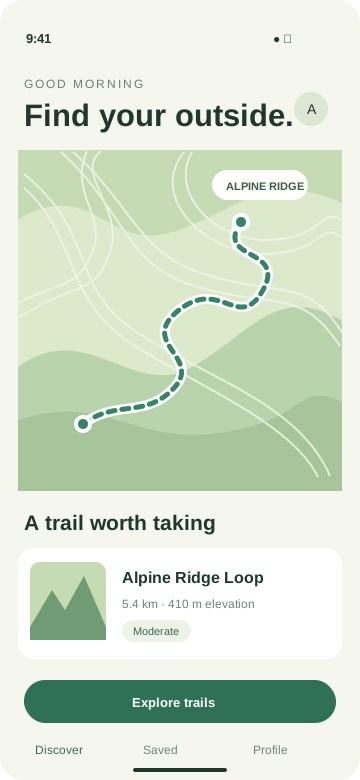
Find your calm.
A little further.
A little freer.
A little freer.
A little more adventure, every day.
Images and looping videos for headers, search, and In-App Events.
Bring your app. We'll give you a place to start.
Keep the interface accurate and the creative easy to change.
Original app screenshotScreenshots, your icon, and copy remain separate editable layers. Change the background without redrawing the interface.
Explore the previewsStart with an image or make a looping video. Review the composition before you export.
Four dedicated canvases. One consistent look for your app.
Set the scene above your app listing with a wide image or looping video.
Keep your screenshots, icon, and copy in editable layers.
Fictional Trail app · Illustrative App Store view
Pair your real app interface with a clear message as people browse search results.
Keep your screenshots, icon, and copy in editable layers.
Fictional Trail app · Illustrative App Store view
Introduce a challenge, launch, or special event with a landscape creative.
Event titles and descriptions stay in separate App Store metadata.
Fictional Trail app · Illustrative App Store view
Create the portrait media people see when they open your event details.
Event titles and descriptions stay in separate App Store metadata.
Fictional Trail app · Illustrative App Store view
A simple workflow, with control over the details.
Add your real screenshots, app icon, and background.
Choose a canvas, edit your message, and tune your colors.
Download separate files, then review them in App Store Connect.
Choose a look. Add your app. Make every detail yours.
Lifestyle · Travel
Productivity · Utilities
Design · Creative tools
Product page headers, search results, In-App Event cards, and In-App Event details. Each uses its own canvas and illustrative in-store preview.
Yes. Your actual screenshots, app icon, and copy stay in editable layers so the creative stays accurate to your app.
The event card uses a landscape 16:9 image. Opening it reveals a portrait 9:16 detail view. Event names, badges, and descriptions are separate App Store metadata.
Changing text, colors, and layout or exporting again uses no generation credits. Optional new AI generations are separate and require available services.
Review your content, crop, rights, and account eligibility before submitting in App Store Connect. The previews are illustrative and do not guarantee Apple approval.
Start with a template. Make it yours. See it in the store.